
 By
By 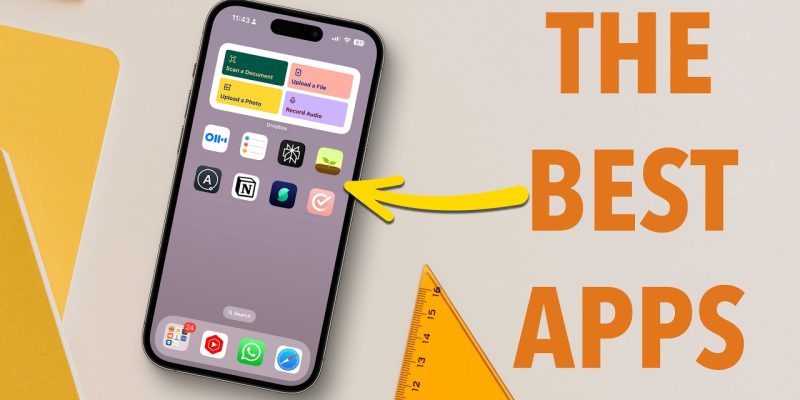
The Best Productivity Apps for iPhone are Notion for organization, Todoist for tasks, and Forest for focus. Together, they cover 90% of what makes people unproductive on their phones: scattered notes, forgotten to-dos, and mindless scrolling.
Below, we’ve broken down the best iPhone productivity apps by category – so you can build a system that actually fits how you work, not just what’s trending on TikTok.
Full Comparison: Top Productivity Apps
| App | Category | Best For | Price | Rating |
| Notion | Notes/Wiki | Teams & students | Free / $8/mo | 4.7/5 |
| Todoist | Task Manager | Daily to-do lists | Free / $4/mo | 4.8/5 |
| Forest | Focus/Pomodoro | Screen time control | Free / $3.99 | 4.9/5 |
| Fantastical | Calendar | Calendar power users | $4.75/mo | 4.8/5 |
| GoodNotes 5 | Handwriting Notes | iPad + Apple Pencil users | $9.99 once | 4.8/5 |
| Obsidian | Knowledge Base | Deep note-linkers | Free / $8/mo sync | 4.6/5 |
| Cron/Morgen | Time Blocking | Scheduling workflows | Free / $15/mo | 4.7/5 |
| Bear | Minimal Notes | Writers & journalers | Free / $2.99/mo | 4.7/5 |
Task Management: Get Things Out of Your Head
Todoist is the gold standard here. It supports natural language input (‘Meet John on Friday at 3pm’), priority levels, and project groupings. The free tier is generous enough for most users.
If you’re deep into Apple’s ecosystem, Apple Reminders has become genuinely good in iOS 16+. It syncs natively, supports collaboration, and costs nothing. Not as powerful as Todoist, but zero friction.
- Todoist – best all-around task manager with cross-platform sync
- Things 3 – gorgeous UI, great for GTD (Getting Things Done) methodology
- Apple Reminders – best free option for Apple-only users
Focus & Deep Work: Stop Losing Hours to Your Phone
Forest turns focus time into a visual habit. You plant a virtual tree when starting a work session, and it dies if you leave the app. Simple, oddly effective. Over time, you grow a forest that represents your focused hours.
For Pomodoro fans, Session (Mac/iOS) is a polished app that blocks distracting sites during work intervals. Opal goes one step further – it’s a full app blocker tied to schedules.
Notes & Knowledge: Where Ideas Actually Stick
Notion is the Swiss army knife – databases, wikis, notes, and project boards in one place. The learning curve is real, but once set up, it replaces 4-5 other apps.
If that’s too much, Bear is a beautifully simple Markdown note app. Fast, syncs via iCloud, and supports tags instead of rigid folders – more natural for how most people think.
Calendar & Time Blocking
Fantastical remains the best iPhone calendar app. It reads natural language (‘dentist next Tuesday morning’), integrates with Zoom/Google Meet, and shows tasks alongside events. Worth the subscription for heavy calendar users.
Which App Should YOU Start With?
| If you are… | Start with… |
| Constantly forgetting tasks | Todoist |
| Spending too much time on social media | Forest or Opal |
| A student managing notes + deadlines | Notion |
| A freelancer tracking projects | Notion + Todoist |
| Someone who prefers minimal apps | Bear + Apple Reminders |
| A power calendar user | Fantastical |
One last thing: the best productivity app is the one you actually use consistently. Don’t let app-hopping become its own form of procrastination.







Comments